A commit message has one reader that matters: the person running git log or git blame months from now, trying to work out why a line exists. Usually that person is you. Good messages are the cheapest documentation a codebase gets, and the only documentation that is guaranteed to sit next to the change it describes.
The shape of a good commit message
Git itself imposes almost no structure, but tooling and convention have settled on one that works everywhere:
Short summary of the change (50 characters or so)

Optional body. Explain what changed and, more importantly, why.
Wrap at 72 characters so it reads well in a terminal.

Refs: #123
Three rules do most of the work:
- The subject line stands alone. GitHub, GitLab,
git log --oneline, andgit rebase -iall show only the first line. If it cannot be understood without the body, it is not finished. - A blank line separates subject and body. Without it, Git treats the whole thing as the subject and every tool that truncates will mangle it.
- The body explains why, not what. The diff already shows what changed. The body is for the reasoning: the bug being fixed, the constraint being worked around, the alternative that was rejected.
Writing the subject line
Use the imperative mood: Add, Fix, Remove, Rename, rather than Added or Adds. The test is whether the line completes the sentence “If applied, this commit will …”. Git's own generated messages (Merge branch 'main', Revert "…") follow this, so your history reads consistently.
Be specific. Compare:
| Weak | Better |
|---|---|
fix bug | Fix crash when config file is empty |
update styles | Increase nav contrast to meet WCAG AA |
wip | Add failing test for duplicate-license claim |
changes from review | Validate slug before file lookup in GuideRepository |
Keep it around 50 characters. That is a guideline, not a law. 60 is fine; 90 means you are describing two changes and should probably split the commit.
Writing the body
Not every commit needs one. A one-line typo fix does not. A commit that changes behaviour, works around something surprising, or makes a decision someone might later question does. Good bodies answer questions a reviewer would ask:
- What was the problem, and how did it show up?
- Why this approach rather than the obvious one?
- What is deliberately not handled here, and where is it tracked?
Example:
Retry provider requests on HTTP 429 before falling back

Rate limits from the primary provider were being treated as hard
failures, so a single burst of activity switched every user to the
fallback model for the rest of the session.

Retry twice with backoff first. Only if the retries also fail do we
move to the configured fallback. The fallback itself is unchanged.

Refs: #412
Conventional Commits
Once a team agrees on message structure, the next step is usually a machine-readable prefix. Conventional Commits is the most widely used convention:
<type>(<optional scope>): <description>

[optional body]

[optional footer(s)]
Common types are feat, fix, docs, refactor, test, chore, perf, and ci. A ! after the type, or a BREAKING CHANGE: footer, marks a breaking change. The payoff is automation: changelogs, semantic version bumps, and release notes can be generated from history instead of written by hand.
feat(auth): add device-limit error code to activation response
fix(sitemap): stop listing /contact, which robots.txt disallows
refactor!: drop legacy license-key format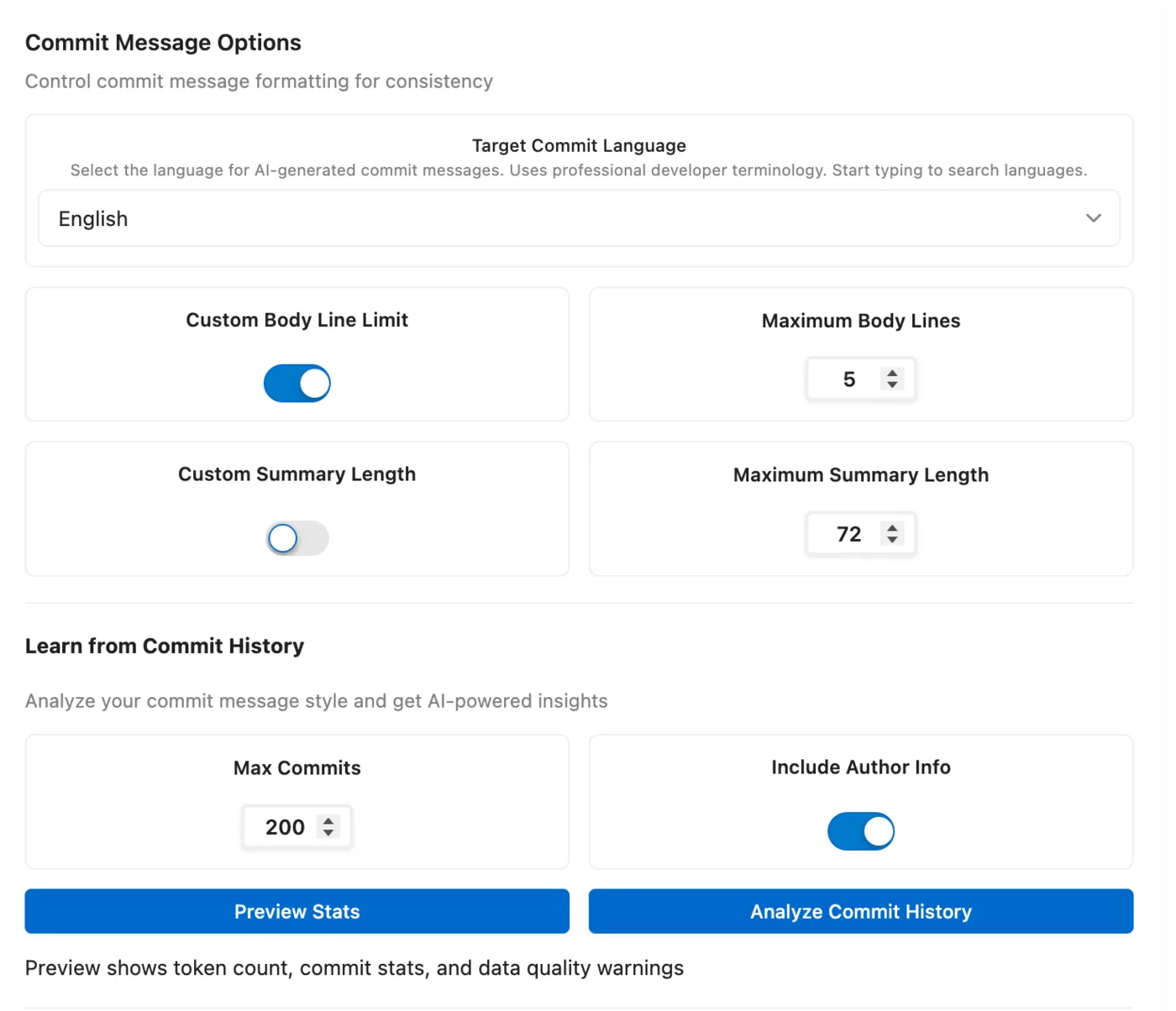
Other conventions exist, such as Angular's (which Conventional Commits grew from), Gitmoji, Karma, and plain semantic prefixes, and they are all fine. What matters is that a repository uses one consistently. Check git log --oneline -20 before your first commit in a new project and match what is already there.
Habits that keep history readable
- One change per commit. If the subject line needs the word “and”, split it.
git add -plets you stage part of a file. - Commit the fix, not the journey. Squash
wip,oops, andfix typobefore they reach the shared branch.git rebase -iis the tool;git commit --fixupplusgit rebase -i --autosquashmakes it painless. - Reference the tracker, don't replace it.
Refs: #123orCloses #123in the footer links the discussion; the message should still make sense when the tracker is gone. - Don't describe the diff. “Change x to y in foo.php” is already visible. Say why.
- Amend early, never after pushing.
git commit --amendfixes the last message locally. Rewriting shared history is a different conversation.
A checklist
Before you press commit, run the message past these five questions. They take ten seconds and catch almost everything above.
- Subject in the imperative, specific, roughly 50 characters.
- Blank line after the subject.
- Body explains why (if the change needs explaining).
- Follows the convention the repository already uses.
- Describes one change.
Doing this with GitMind
GitMind is a free extension for VS Code-compatible editors that reads your staged diff and drafts the message for you, including subject, body, and convention, so the checklist above is the default rather than a discipline. The basic style is free; the Conventional Commits, Gitmoji, Angular, Karma and other professional styles, and learning the convention from your own repository history, are part of the one-time Pro license. Setup takes a minute: see AI commit messages in VS Code, Cursor and Windsurf, or keep everything local with Ollama. Full feature list on the features page.